Tracking a parcel in Sri Lanka takes under a minute once you have your tracking number — no account, no login, no signup.
Here is each step, from finding the number to reading the delivery status.
How to Track a Courier Parcel with Trackmate
Step 1 of 5
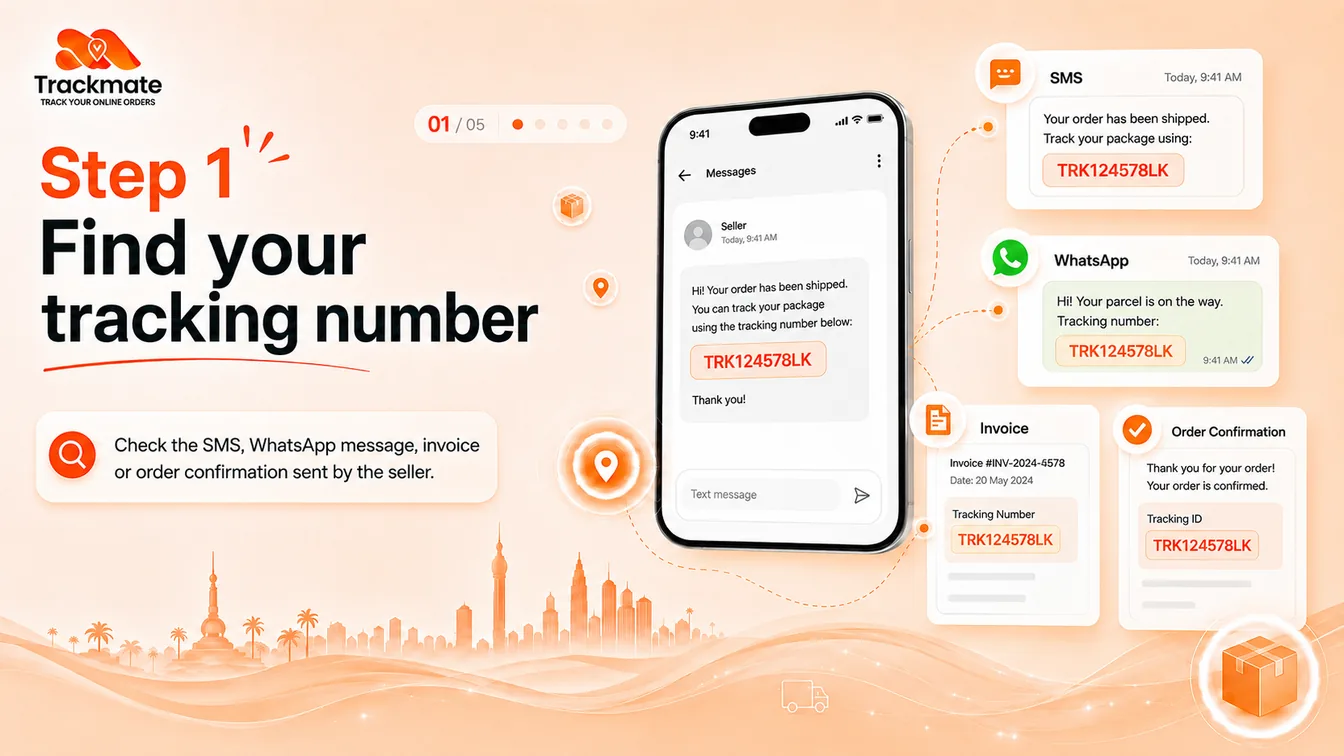
Find your tracking number
Check the SMS, WhatsApp message, invoice or order confirmation the seller sent you. Sellers label it differently, so look for any of these:
- Tracking number — the most common label
- Waybill number — used by most Sri Lankan couriers
- Tracking ID or AWB number — same thing, different wording
It usually looks something like TRK124578LK.
Step 2 of 5
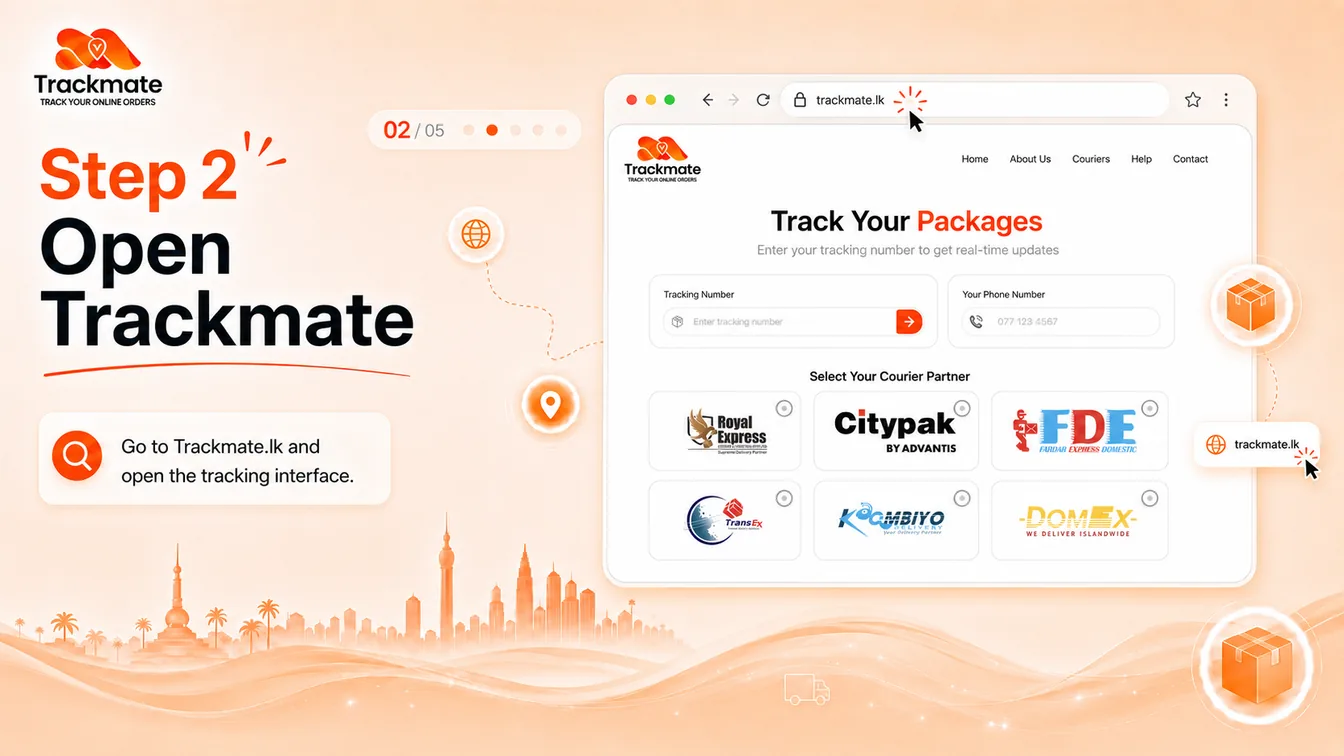
Open Trackmate
Go to Trackmate.lk. The tracking box is right on the homepage — no account, no login, no signup.
Step 3 of 5
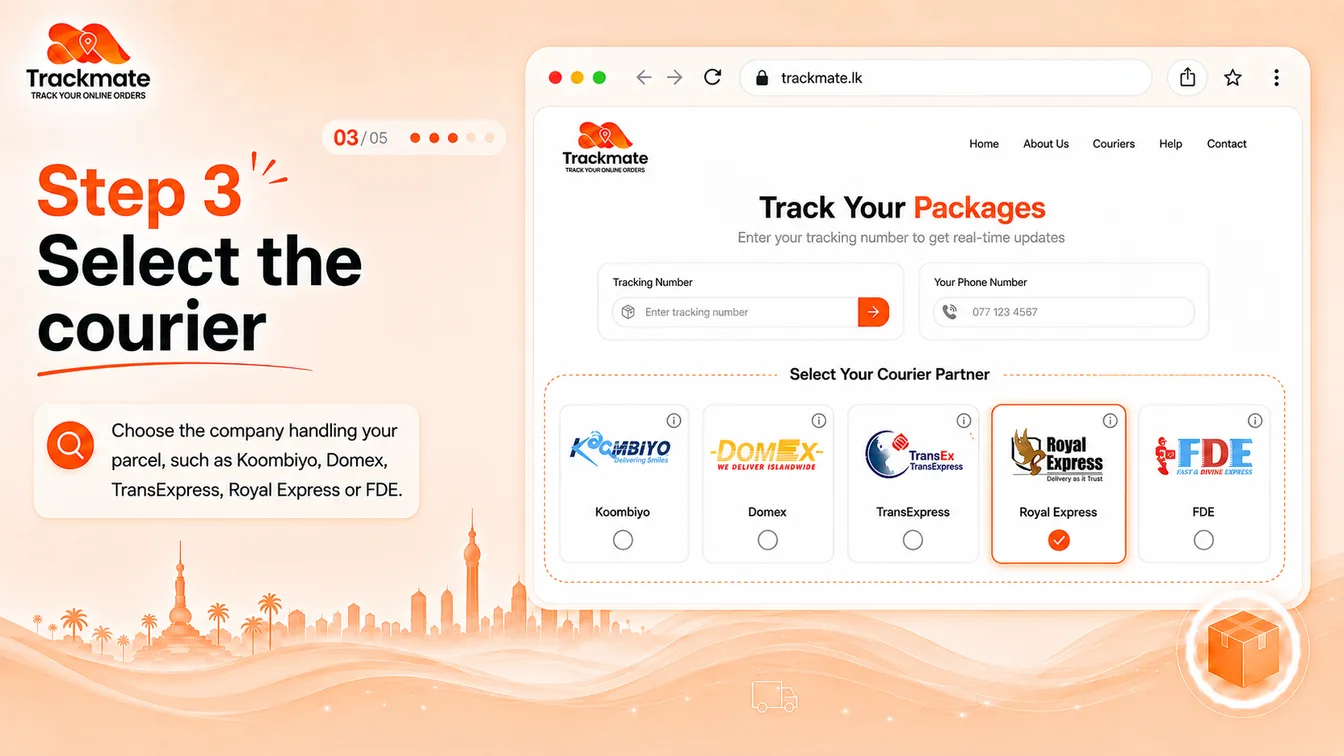
Select the courier
Pick the company handling your parcel — Koombiyo, Domex, TransExpress, Royal Express or FDE.
Not sure which one? Check the seller's message again; the courier name is usually mentioned alongside the tracking number.
Step 4 of 5
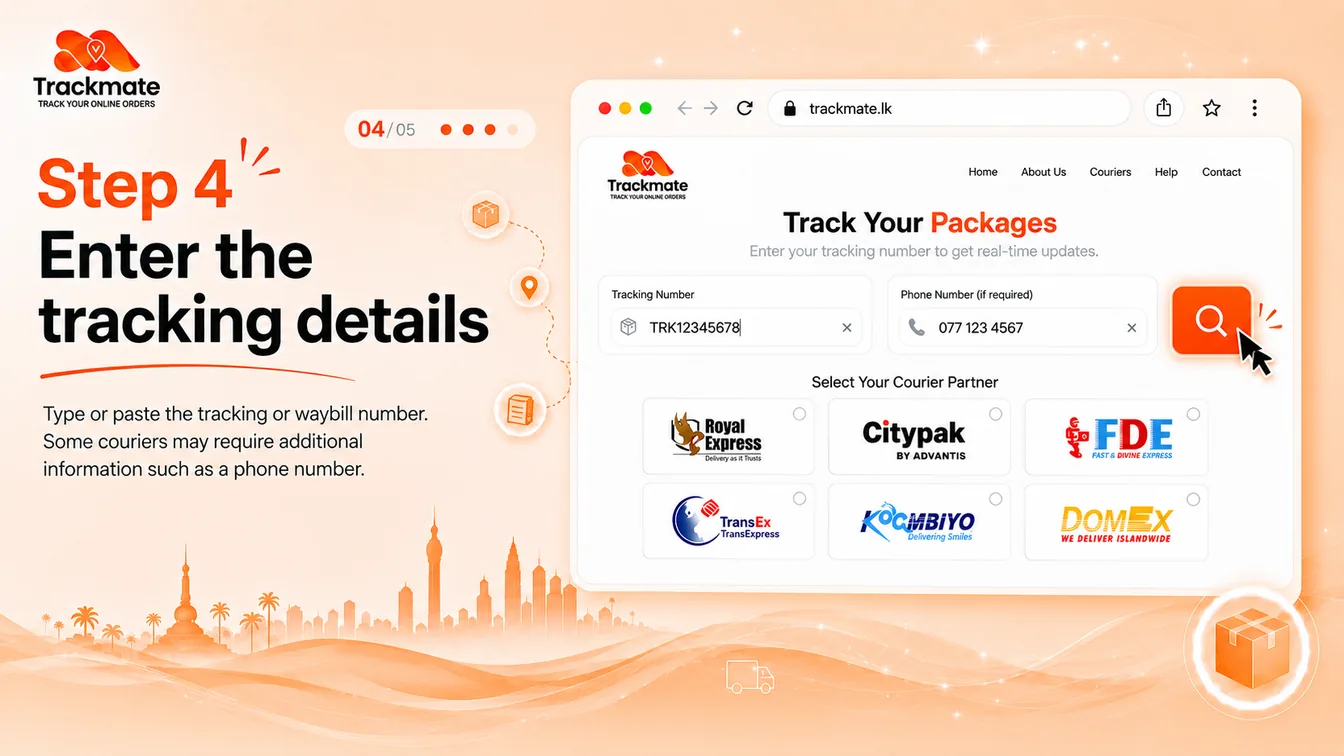
Enter the tracking details
Type or paste your tracking or waybill number into the box.
One thing to watch: some couriers need a second detail. Koombiyo, for example, also asks for the phone number used on the order.
Step 5 of 5
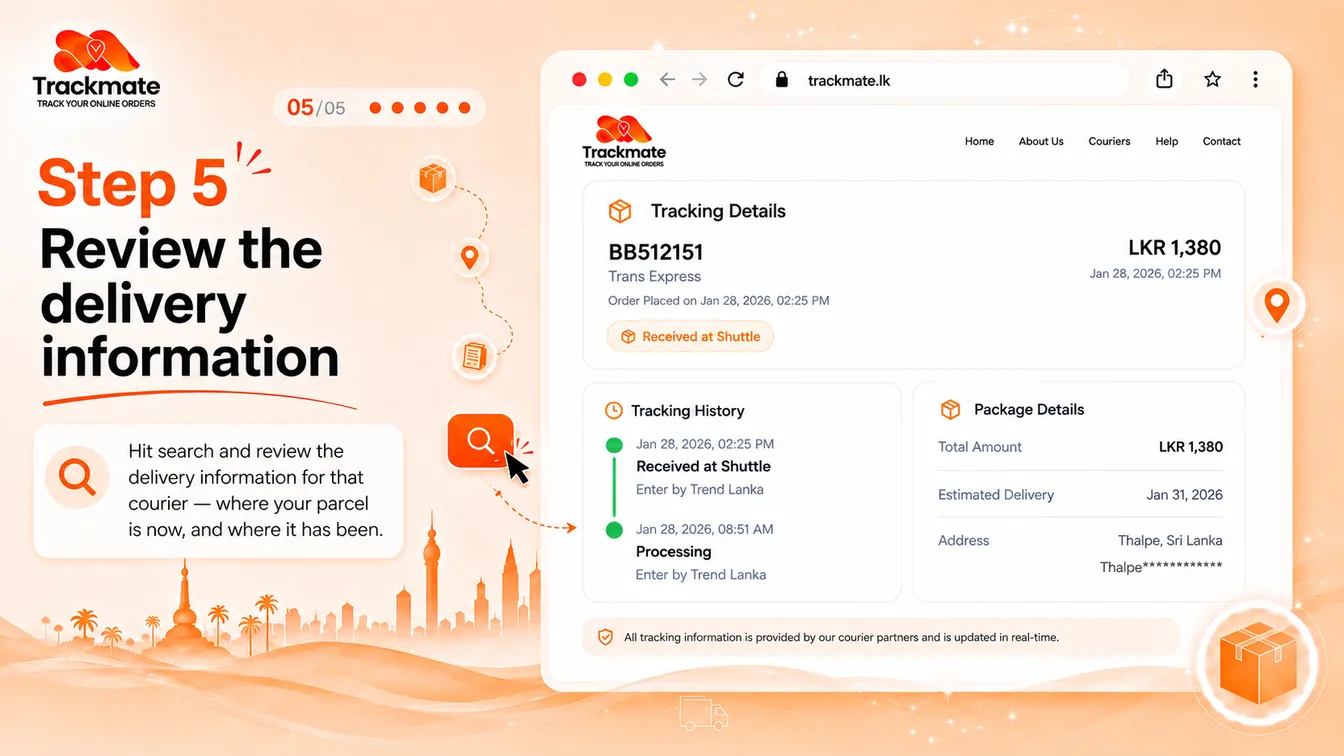
Review the delivery information
Hit search and review the delivery information for that courier — where your parcel is now, and where it has been.
You will see the current status, a tracking history timeline, and package details such as the estimated delivery date and destination.
Save yourself a round trip
Have both your waybill number and the phone number from your order ready before you start. Koombiyo parcels need the phone number, and it is faster than going back to find it mid-search.
Ready to find your parcel?
Koombiyo, Domex, TransExpress, Royal Express and FDE — all from a single tracking box.
Frequently Asked Questions
Where do I find my tracking number?
Check the SMS, WhatsApp message, invoice or order confirmation sent by the seller. It may be labelled as a tracking number, waybill number, tracking ID or AWB number — these all mean the same thing.
Do I need an account to track a parcel?
No. You can search on Trackmate.lk without creating an account, logging in or paying a fee.
Do I need my phone number as well?
It depends on the courier. Koombiyo requires the phone number used on the order in addition to the waybill number. For Domex, TransExpress, Royal Express and FDE the phone field is optional.
Which couriers can I track on Trackmate?
Koombiyo, Domex, TransExpress, Royal Express and FDE / Fardar Express, with more courier partners added as Trackmate expands.
My tracking number shows no results. What should I do?
A waybill can take time to appear in the courier's system after the seller books the parcel, so wait a little and try again. If it still shows nothing after a day, confirm both the tracking number and the courier name with your seller.
What information will I see once I search?
The current status of your parcel, a tracking history timeline showing where it has been, and package details such as the estimated delivery date and destination. The exact detail varies by courier.
Tracking parcels from more than one courier? See the full guide: Courier Tracking Sri Lanka