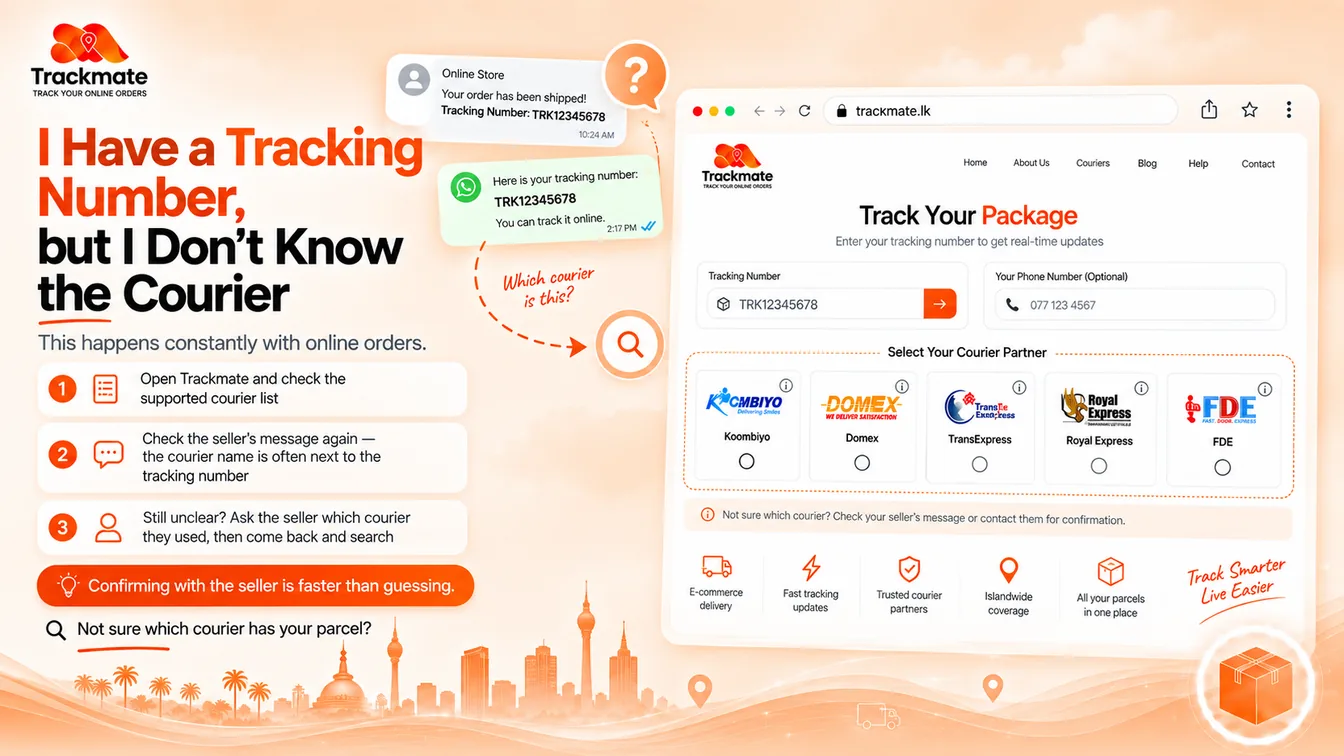
You have the tracking number. What you do not have is any idea which courier is actually carrying your parcel.
This happens constantly with online orders. The seller sends a number, you save it for later — and by the time the parcel is due, you cannot remember whether it went through Koombiyo, Domex, TransExpress, Royal Express or FDE.
Here is the honest starting point: a tracking number on its own does not tell you the courier. But finding out is usually quick — and it almost always comes down to the message the seller already sent you.
The Quick Answer
Work through these in order. Most people find the answer at the first one.
- Re-read the seller's message. The courier name is usually right there, a line above or below the tracking number.
- Ask the seller. One message settles it, and it is faster than guessing.
Then open Trackmate, pick that courier, and search.
Do not guess and re-try
Entering the same number against courier after courier mostly returns "not found" — which tells you nothing, because a wrong-courier miss and a not-yet-scanned parcel look identical. Identify the courier first, then search once.
Check the Seller's Message Again
This solves it more often than anything else, and people skip it because they only scanned for the number the first time.
Go back to the SMS, WhatsApp message, invoice or order confirmation and look for:
- The courier name in plain text — "sent via Koombiyo", "Domex pickup done"
- A tracking link — the domain in the URL names the courier
- A branch or hub name — couriers name their hubs in dispatch messages
- The sender ID on an SMS — courier SMS often arrives from a named sender, not a number
If the seller runs an online shop, they usually use the same courier for every order. So check any older message from that same seller — whatever carried your last parcel probably carries this one.
Not sure which courier has your parcel?
Open Trackmate, review the supported couriers, and try the courier your seller named.
Frequently Asked Questions
Can I find the courier from the tracking number alone?
Not reliably. A tracking number on its own does not tell you which courier is carrying your parcel. The fastest way to find out is to re-read the message the seller sent — the courier name is usually right next to the tracking number — or simply ask the seller, since they booked the parcel.
Why does my tracking number show no results on any courier?
Two common reasons. Either you have selected the wrong courier, or the parcel has not been scanned into the courier's system yet — a waybill can take time to appear after the seller creates the order. If it still shows nothing after a day, confirm both the number and the courier name with your seller.
Is there one website that searches every Sri Lankan courier at once?
No, and it is worth understanding why. Each courier runs its own separate tracking system, and tracking numbers are not issued from a shared national range, so the same digits can belong to different parcels at different couriers. Trackmate removes the need to hunt for each courier's website, but you still select which courier is carrying your parcel.
The seller will not tell me which courier they used. What now?
Keep your order confirmation, payment record and tracking number together. If the parcel still cannot be traced and the seller stops responding, those records are what a payment dispute will rest on.
Which couriers can I track on Trackmate?
Koombiyo, Domex, TransExpress, Royal Express and FDE / Fardar Express, with more courier partners added as Trackmate expands.
Do I need an account to search?
No. You can search for your parcel on Trackmate.lk without creating an account, logging in or paying a fee.
Tracking parcels from more than one courier? See the full guide: Courier Tracking Sri Lanka